Invitation letters
Normally you can create and send invitation letters at the same time as preparing questionnaires. However, it may be that this has not been done, and therefore RoQua also has a separate page to do this afterwards. This is under Menu -> Invitation letters.
1. Recipient
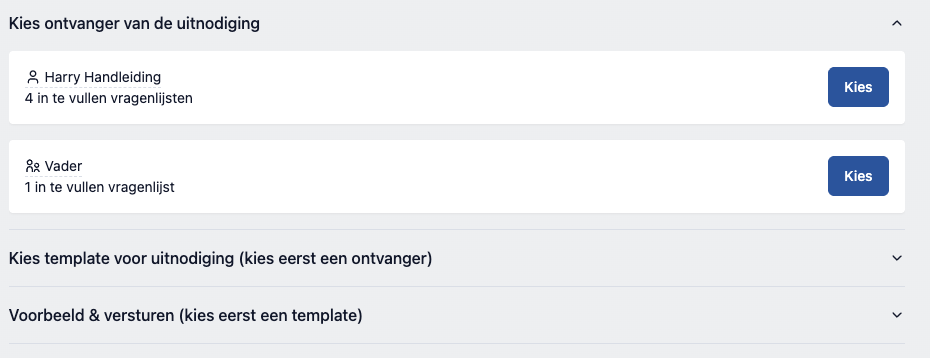
The first step is that you have to choose who you want to send the letter to. In this overview you can also see how many questionnaires are ready. You can also choose someone for whom no lists are ready. You can then download or print the letter as a PDF. However, it is never possible to send a letter by email when there is nothing to fill out at that time.
2. Template
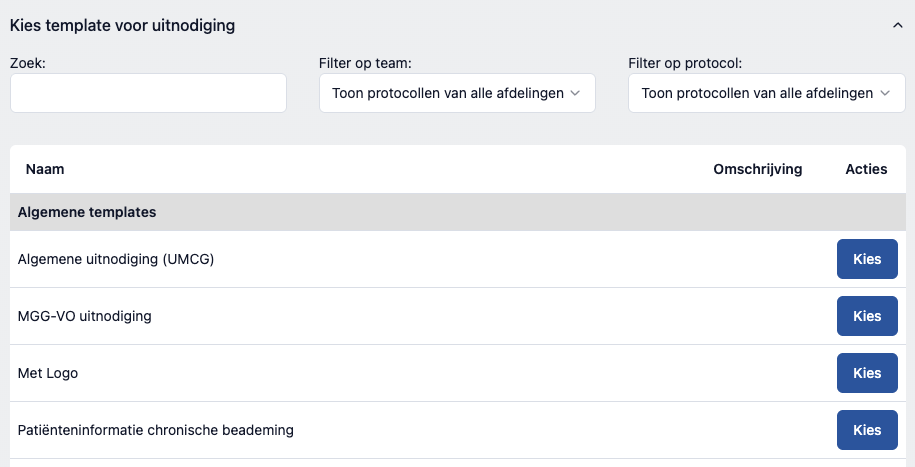
The next step is to choose the right template for the invitation. The list of templates is grouped by protocol. Some templates are marked as "general", and these are in the very first group. A template can be linked to multiple protocols at the same time, and then you will see it in multiple groups.
3. Preview
4. Created
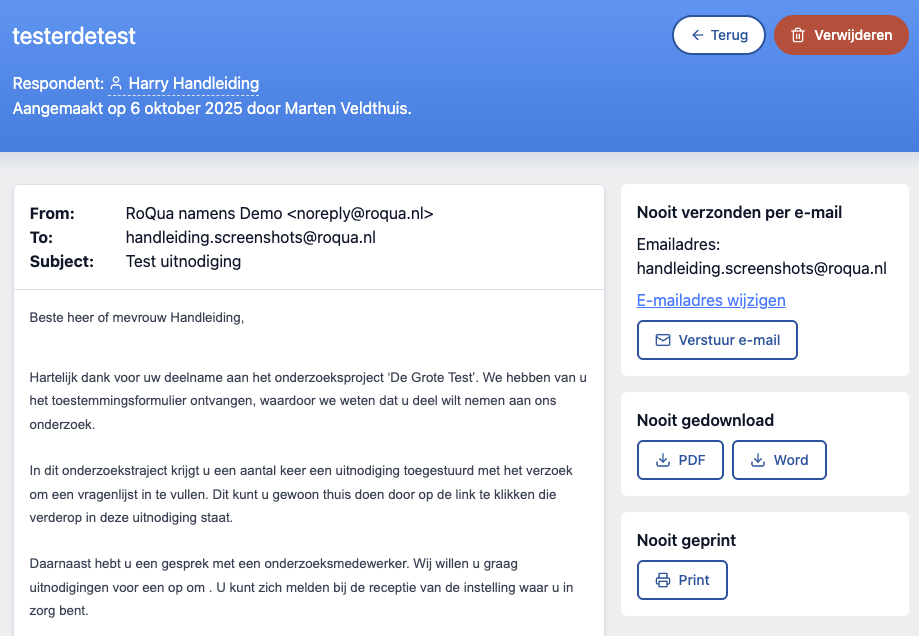
A page is opened containing the content of the invitation letter and buttons for sending, downloading, printing and deleting the invitation. Note that questionnaires that are ready for a respondent are not deleted when an invitation for this respondent is deleted. For deleting prepared questionnaires, see the section "Preparing or filling out questionnaires".